


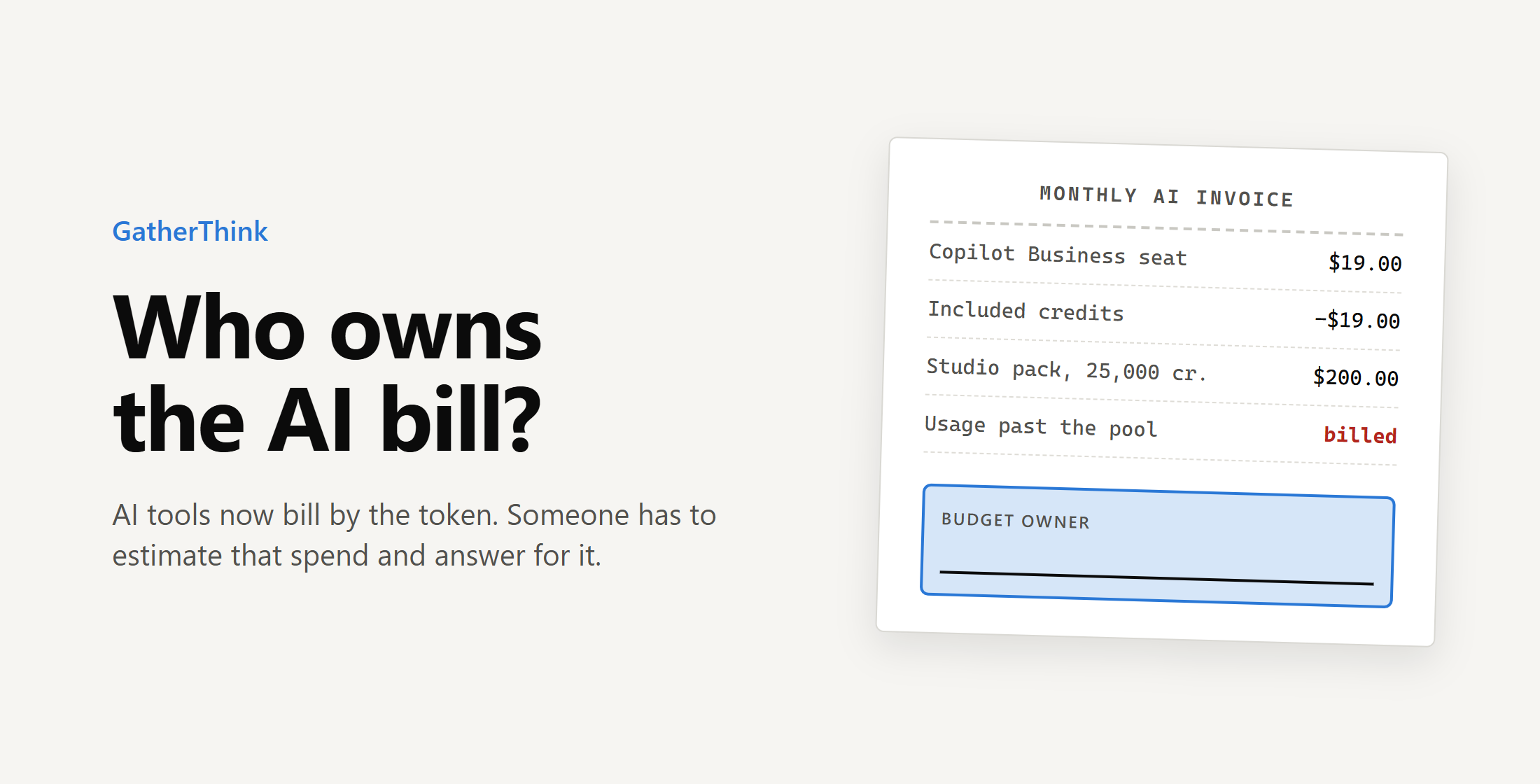
Every organization that uses AI tools now needs one person who owns AI consumption. That person needs to forecast and track AI use across departments. This is becoming a growing responsibility and is quickly become a full time job.
GitHub changed how Copilot charges on June 1. It stopped counting premium requests and started charging AI Credits for every input, output and cached token, at each model’s published API rate. A Copilot Business seat still costs $19 a month and now includes $19 of credits, pooled across the organization. GitHub’s own reason for the change was that “a quick chat question and a multi-hour autonomous coding session can cost the user the same amount.” Now they don’t.
What a seat buys now
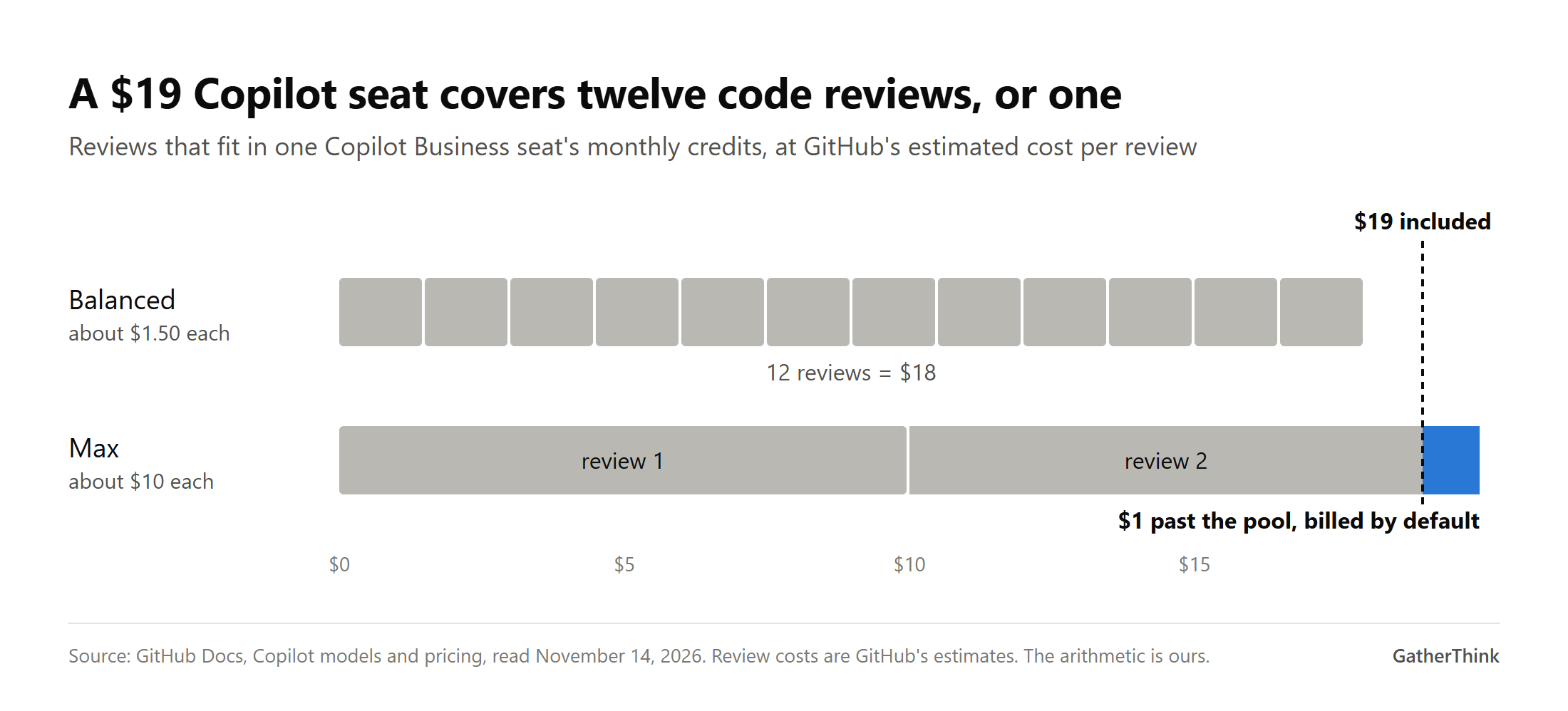
One AI credit is worth one cent, so a Business seat carries 1,900 credits a month. GitHub estimates that one Copilot code review costs about $1.50 on its Balanced setting and about $10 on Max. By our arithmetic, a seat covers twelve Balanced reviews a month, or one on Max. Anything past the pool is billed, and GitHub’s billing page is clear about the starting position: “On Copilot Business and Copilot Enterprise, additional usage is enabled by default.”
Microsoft’s Copilot Studio meters agents in Copilot Credits. A generative answer costs 2, an agent action 5, and grounding an answer in the organization’s own data 10 (Microsoft). A pack of 25,000 credits costs $200 a month. Microsoft’s own billing example is a support agent that serves 900 customers a day and uses 7,200 credits doing it. Over a 30-day month that is 216,000 credits, which by our arithmetic means nine packs and $1,800 for one agent. Pay-as-you-go runs through an Azure subscription, and the charge arrives at the end of the month for whatever was used (Microsoft).
Why this is harder in government
For a city or county, the budget can be a hard legal limit. North Carolina law says no obligation may be incurred unless the budget ordinance includes an appropriation for it, and one made in violation “is invalid and may not be enforced” (G.S. 159-28). Only the governing board can amend that ordinance, and the UNC School of Government gives the order: “if the appropriation is too low, the amendment must come first.” Montana and Tennessee have rules of the same kind. We checked those three states. Check your own.
A tool that keeps billing by default sits badly with a budget that takes a council vote to raise. A company can absorb an overrun and explain it later. Under rules like these, a county department that runs through its AI line in March has to stop or go back to the board.
Most forecasts miss
Most organizations are bad at predicting AI spend, because it is so new and is hard to do. In a 2026 survey of 396 enterprises, only 11% forecast their AI costs within 10%, and 40% had taken an unexpected AI cost to the board (Channel Insider). Mavvrik, which ran the survey with Benchmarkit, sells AI cost tools. J.R. Storment, who runs the FinOps Foundation, says mature cloud teams forecast within 1 to 3% of where they land, and with AI “it’s totally blown out” (TechTarget).
The tools have controls, but someone has to set them. GitHub lets admins put budgets on the enterprise, on each cost center and on each user. A user budget blocks requests the moment it runs out. Cost center and enterprise budgets stop usage only if an admin turns that on, and GitHub’s documentation is plain about the default: “Without it, charges continue to accrue past the limit.” Copilot Studio’s per-agent monthly limits carry their own warning, “Limits aren’t applied instantly” (Microsoft).
Who should own it
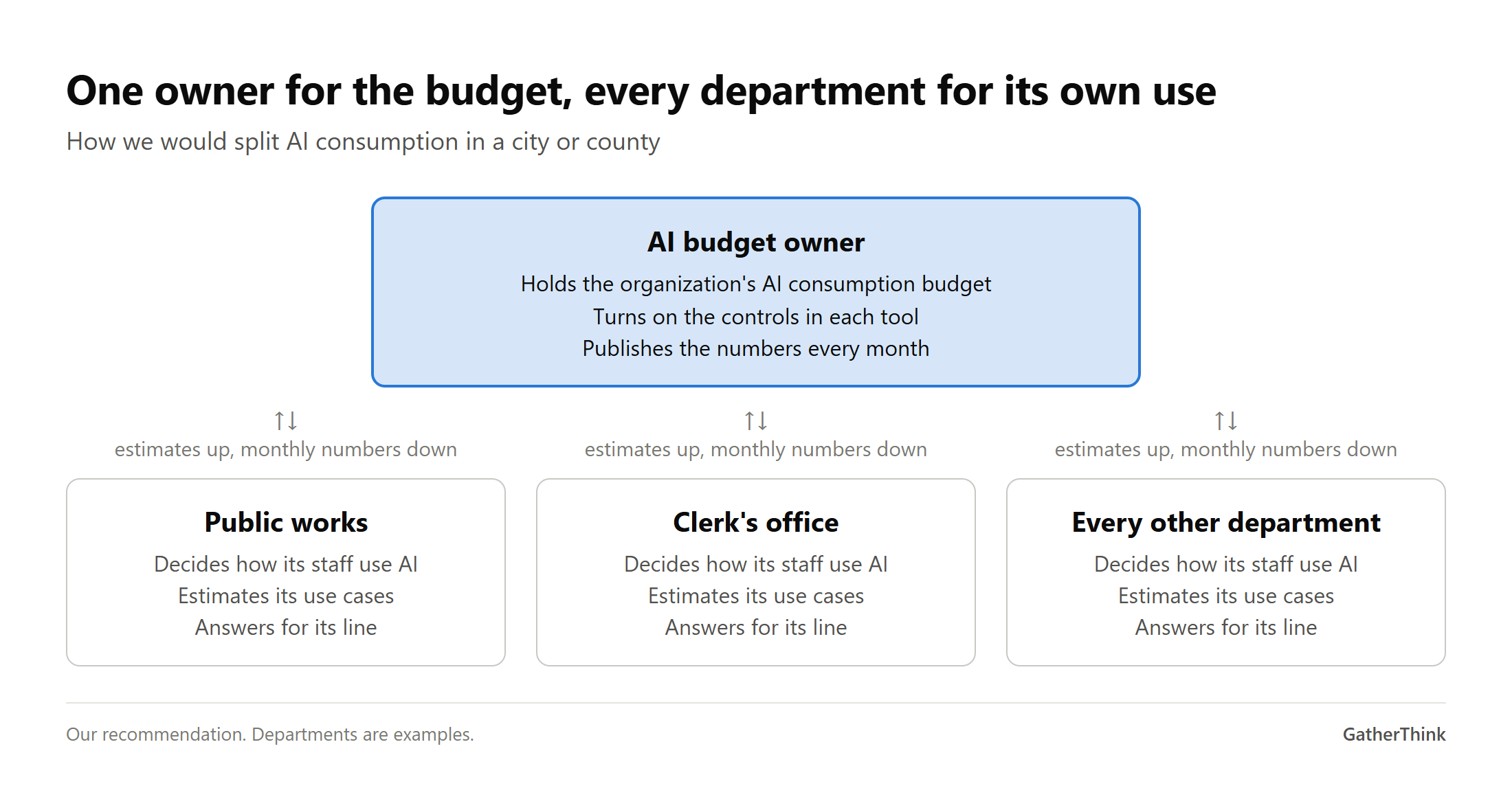
One person should hold the AI consumption budget for the whole organization, and every department should own what it uses. The central owner turns on the controls and publishes the numbers each month. Department leaders decide how their staff use AI, estimate their own use cases and answer for their share. In a city, IT might hold the budget while public works and the clerk’s office each see their own line.
The field has not settled on this. TechTarget’s coverage of the FinOps Foundation’s June conference found that ownership “remains unsettled.” BCG calls it “probably a joint responsibility of the CIO or CTO and functional and business unit leaders.” The Foundation’s 2026 survey found that 98% of FinOps teams now manage or plan to manage AI spend, up from 31% two years earlier. Joint responsibility with no single name on it is how a bill goes unwatched.
In a large organization this is a new job, even where it has no title yet. We found no standard title for it, and the work is landing on FinOps teams and IT finance as added duties. In a county IT shop with no FinOps team it is a duty, and it should be assigned in writing to a named person. Otherwise it falls to whoever signed the license.
Estimate, pilot, re-baseline
A forecast made once, before rollout, will be wrong. Treat the first number as a guess to test.
Estimate. For each use case, multiply users by sessions per user per month, then by the typical cost of one session. GitHub publishes cost estimates for code review, so start there. Split use cases by type of work. A power user running hour-long edits on a frontier model with heavy context “can cost an order of magnitude more” to serve than a quiet user taking completions, Greyhound Research’s Sanchit Vir Gogia told InfoWorld.
Pilot. Run a month with a small group and real budgets switched on. Compare what they used with the estimate.
Re-baseline. Replace the estimate with the pilot’s numbers, set the department budget, and redo it each quarter as models and prices change.
Model choice moves the number a long way. On GitHub’s price list, Claude Opus 5.5 costs 40 times what Claude Haiku 5.5 costs per token. BCG adds a caution, that a cheaper model that needs retries can cost more per finished task than a stronger one.
Track it by department
Start with showback, where each department sees its own consumption every month. Move to chargeback, billing the spend to the department’s budget, once people trust the numbers. Turn on GitHub’s budget alerts, which go out at 75%, 90% and 100% of a budget to the people an admin picks. An alert at 90% leaves little room to act, so set each department’s budget below what it can really spend. GitHub cost centers and Copilot Studio environments already split usage by group. Map them to departments.
Only one in five CEOs has a separate AI budget line, according to IDC, so for most organizations this spend is buried inside budgets that were never built to isolate it. Giving it its own line is the first step.
The future of AI budgets
Within two years, AI consumption will have its own line in most city and county budgets and a named owner. Agencies that start estimating and tracking now will walk into budget season with a year of real numbers. The ones that wait will learn their usage from the invoice.
Do it yourself
Name one person who owns the organization’s AI consumption budget, in writing.
List every AI tool that bills by usage, and who can turn on its budget controls.
In GitHub, decide on purpose whether additional usage is allowed, turn on budget enforcement and switch on budget alerts. In Copilot Studio, set per-agent limits with some margin.
Estimate each use case with the worksheet, pilot it for a month, then re-baseline.
Send each department its monthly consumption, starting this quarter.
Ask finance now how a mid-year overrun would be handled, before there is one.
The companion worksheet has the ownership chart, the estimator and a department tracking template.
